Shifts & the cash drawer
Opening a shift, drawer movements, and closing accurately.
By default every cashier works a shift with their own cash drawer, so money is always accountable to a person. Prefer one drawer for everyone? Settings → Till & drawer → Cash-drawer mode → one shared drawer that everyone rings into and that is counted once at close.
Opening
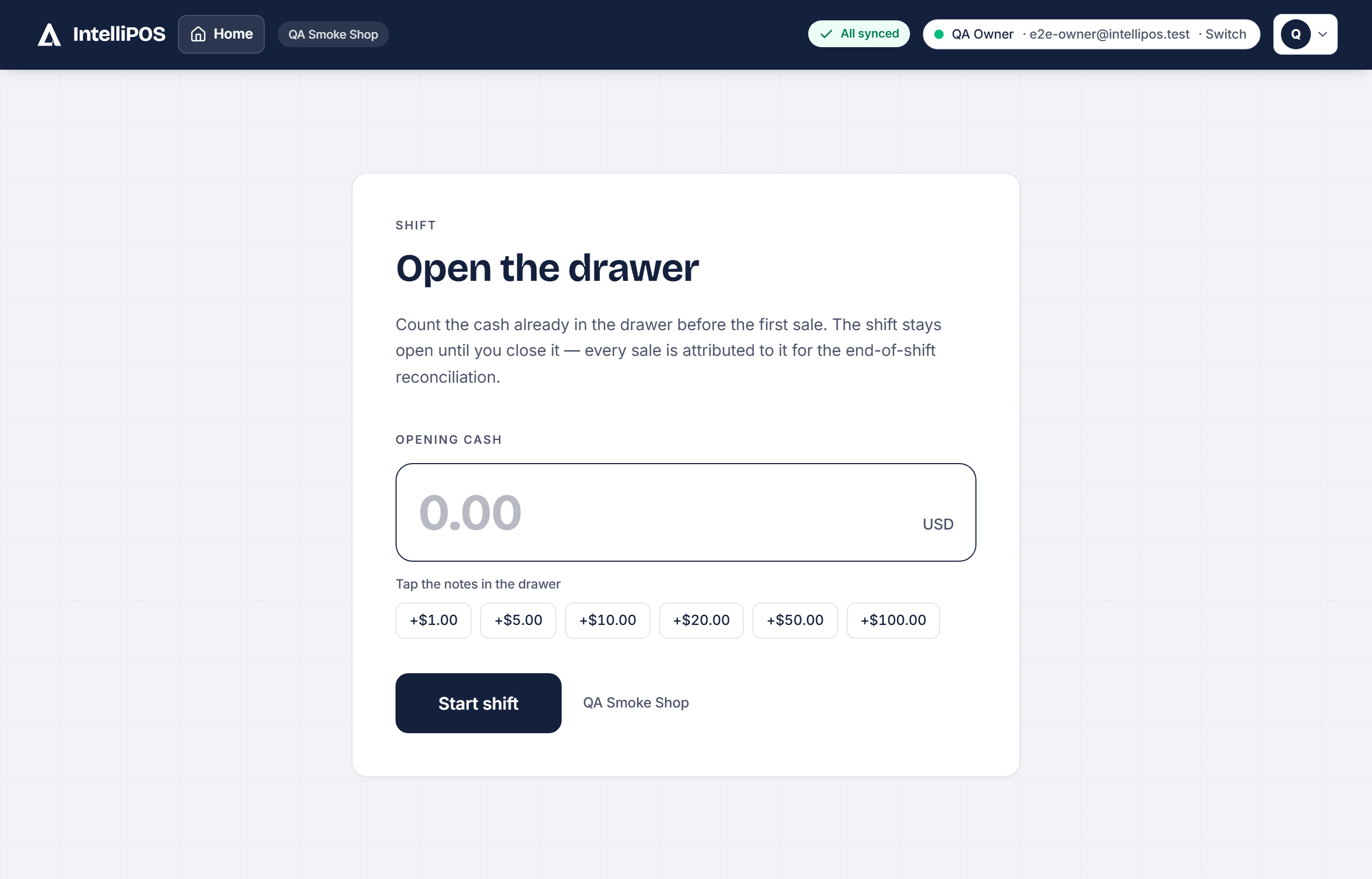
At the start, open your shift and enter the opening cash (the float) — or tap Carry last count to start from what the last shift counted. You're now ready to sell. Settings → Till & drawer → Drawer form starts on chooses which movement the drawer form opens on.
During the shift
- Pay-in / Pay-out records cash added or removed (a supplier paid in cash, a small expense). A pay-out is also recorded as an expense automatically, so your reports stay honest.
- Drop moves cash to a safe.
- Lend cash and Collect a tab handle customer credit at the drawer.
Closing
At the end, close your shift. IntelliPOS shows what should be in the drawer; you count what's physically there, and it records any over/short. A negative "expected" is fine — it just means more cash left than came in (pay-outs, change); count what's there and the Z-report explains the difference.
As you type your count the till shows Missing, Over or Balanced. A count of 0, or less than your float, asks "Did you count the drawer?" before closing — one tap to go on if it's true. A drawer that closes badly short files an incident for the owner by itself; the amount that counts as "badly" is set in Staff money rules.
The shift can't be closed while cash is still waiting to sync — so your end-of-day numbers are always complete.
By default every cashier works a shift with their own cash drawer, so money is always accountable to a person. Prefer one drawer for everyone? Settings → Till & drawer → Cash-drawer mode → one shared drawer that everyone rings into and that is counted once at close.
Opening
At the start, open your shift and enter the opening cash (the float) — or tap Carry last count to start from what the last shift counted. You're now ready to sell. Settings → Till & drawer → Drawer form starts on chooses which movement the drawer form opens on.
During the shift
- Pay-in / Pay-out records cash added or removed (a supplier paid in cash, a small expense). A pay-out is also recorded as an expense automatically, so your reports stay honest.
- Drop moves cash to a safe.
- Lend cash and Collect a tab handle customer credit at the drawer.
Closing
At the end, close your shift. IntelliPOS shows what should be in the drawer; you count what's physically there, and it records any over/short. A negative "expected" is fine — it just means more cash left than came in (pay-outs, change); count what's there and the Z-report explains the difference.
As you type your count the till shows Missing, Over or Balanced. A count of 0, or less than your float, asks "Did you count the drawer?" before closing — one tap to go on if it's true. A drawer that closes badly short files an incident for the owner by itself; the amount that counts as "badly" is set in Staff money rules.
The shift can't be closed while cash is still waiting to sync — so your end-of-day numbers are always complete.