Running more than one location
Add a branch, switch between shops, and see the whole chain at a glance.
One account can run a whole chain. Each location keeps its own stock, prices, staff and reports — and you see everything.
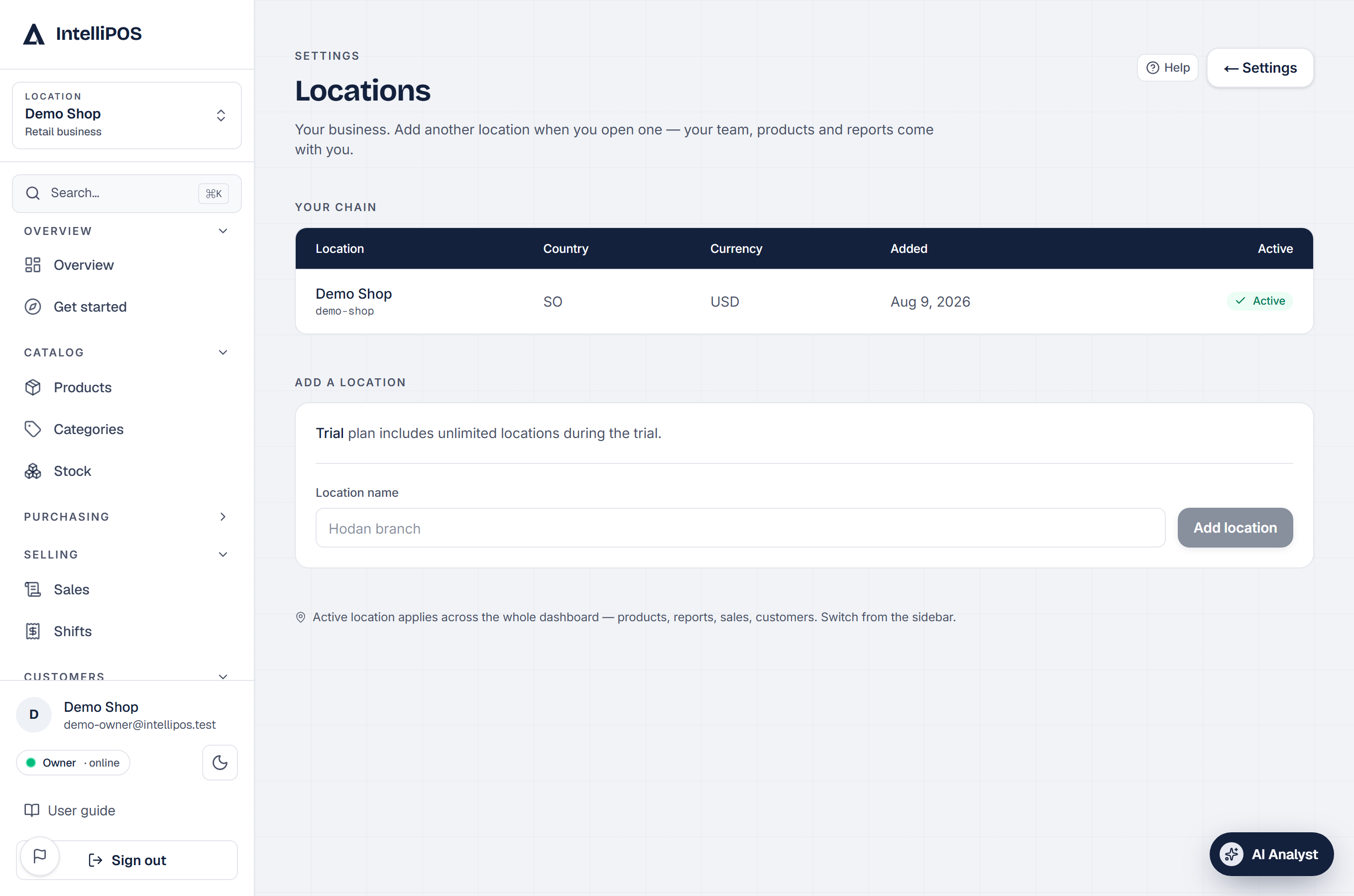
Adding a branch
Settings → Locations → Add location. The new branch starts with its own clean stock and till; your plan and account stay one.
Your plan includes a number of locations. On Pro, going beyond the included count shows the exact extra monthly price before you confirm — pay by card and it joins your bill automatically from that day (prorated); close the location and the charge leaves your bill just as automatically. Your Billing page always shows the itemised total.
Switching
The switcher at the top of the dashboard moves you between locations instantly. Owners switch freely (the only pause: while your own cash drawer is open, you finish it first). Staff belong to their shop — they sign in and work where they work, and never see another branch.
The chain view
On the dashboard home, owners of more than one location get the chain overview: every branch's day side by side — sales, staff, items and credit — with fair comparisons across periods. Money is always shown per currency, never mixed.
What stays separate, what stays shared
- Separate per location: stock, prices, staff, shifts, reports, receipts.
- Shared: your account, your plan, your customers' trust in one name.
Growing? Add the branch the day it opens — the reports treat its first day as day one, so comparisons stay honest.