Restaurant
Tables, floor, waiters, kitchen tickets and to go.Tables, floor, waiters, kitchen tickets and takeaway.
Run your restaurant on IntelliPOS
A restaurant adds table service on top of everything a café does.
The floor
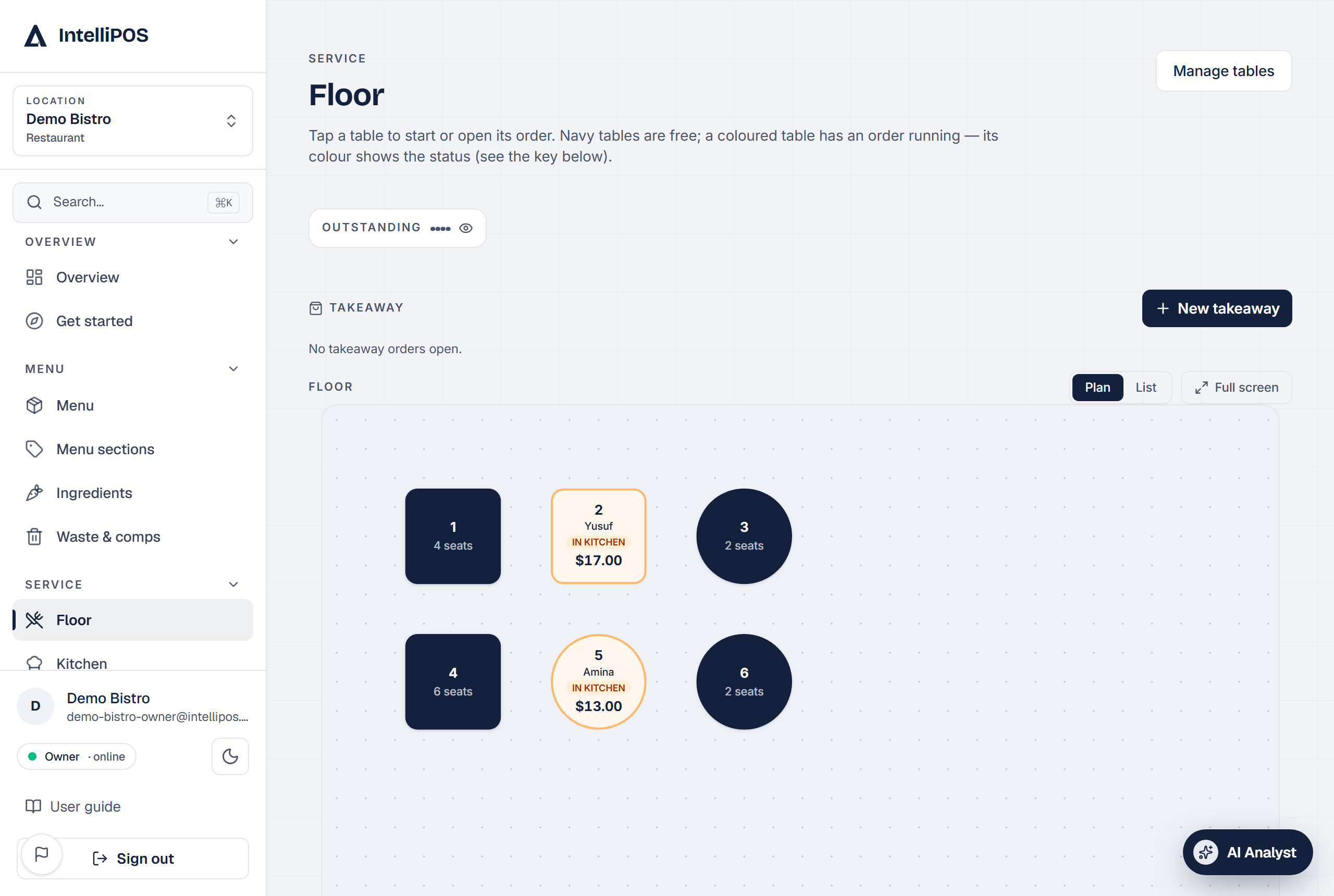
See your tables at a glance. Tap a table to open an order, add items, and send them to the kitchen. Move or merge tables as guests shuffle.
Kitchen
Sent items appear on the Kitchen Display, and print as kitchen tickets. Cooks see only what to make. Here's an order going from the floor to the kitchen:
Per-guest tickets
Split a table into separate tickets so guests can pay for their own.
To go
Start a to-go order with a name or number. On an open order, Seat at a table turns a to-go order into dine-in and Make it to go does the reverse — the service charge follows the order type. To-go orders show on the floor board with a calling number, and the device calls out "Table 2 — food ready" when the kitchen marks it. Removed an item by mistake? The toast has Undo.
Settling
Settle a table in cash even with no internet — it queues and syncs safely on reconnect.
Food that never went to the kitchen. If a check still has items that were never sent, the settle screen says so before you take the money — with a Back to send them link. Once a check is settled its items can't be sent, so this is what stops a paid to-go order from never being made. It never blocks: a round of drinks poured straight from the bar can be settled as it is. The same warning shows with no internet.
Just added an item? Right after a tap, the settle button shows Saving… for a moment, so the check always opens with everything on it.
A restaurant adds table service on top of everything a café does.
The floor
See your tables at a glance. Tap a table to open an order, add items, and send them to the kitchen. Move or merge tables as guests shuffle.
Kitchen
Sent items appear on the Kitchen Display, and print as kitchen tickets. Cooks see only what to make. Here's an order going from the floor to the kitchen:
Per-guest tickets
Split a table into separate tickets so guests can pay for their own.
Takeaway
Start a takeaway order with a name or number. On an open order, Seat at a table turns a takeaway into dine-in and Make takeaway does the reverse — the service charge follows the order type. Takeaway orders show on the floor board with a calling number, and the device calls out "Table 2 — food ready" when the kitchen marks it. Removed an item by mistake? The toast has Undo.
Settling
Settle a table in cash even with no internet — it queues and syncs safely on reconnect.
Food that never went to the kitchen. If a check still has items that were never sent, the settle screen says so before you take the money — with a Back to send them link. Once a check is settled its items can't be sent, so this is what stops a paid to-go order from never being made. It never blocks: a round of drinks poured straight from the bar can be settled as it is. The same warning shows with no internet.
Just added an item? Right after a tap, the settle button shows Saving… for a moment, so the check always opens with everything on it.